Fractional GPUs
In this guide you will setup a Developer Pod SKU for sharing a GPU across developer pods using fractional GPUs through the KAI Scheduler. Specifically, you will allocate a fraction of the GPU's available memory to the user requesting the developer pod.
Assumptions
This exercise assumes the following requirements are in place.
- Admin access to the Rafay Operations Console
- A managed Kubernetes cluster with a GPU, preconfigured with the following prerequisites
- KAI Scheduler installed and provisioned for GPU Sharing
1. Load Compute Profile
In this section, you will load the compute profile for the Fractional Developer Pod SKU.
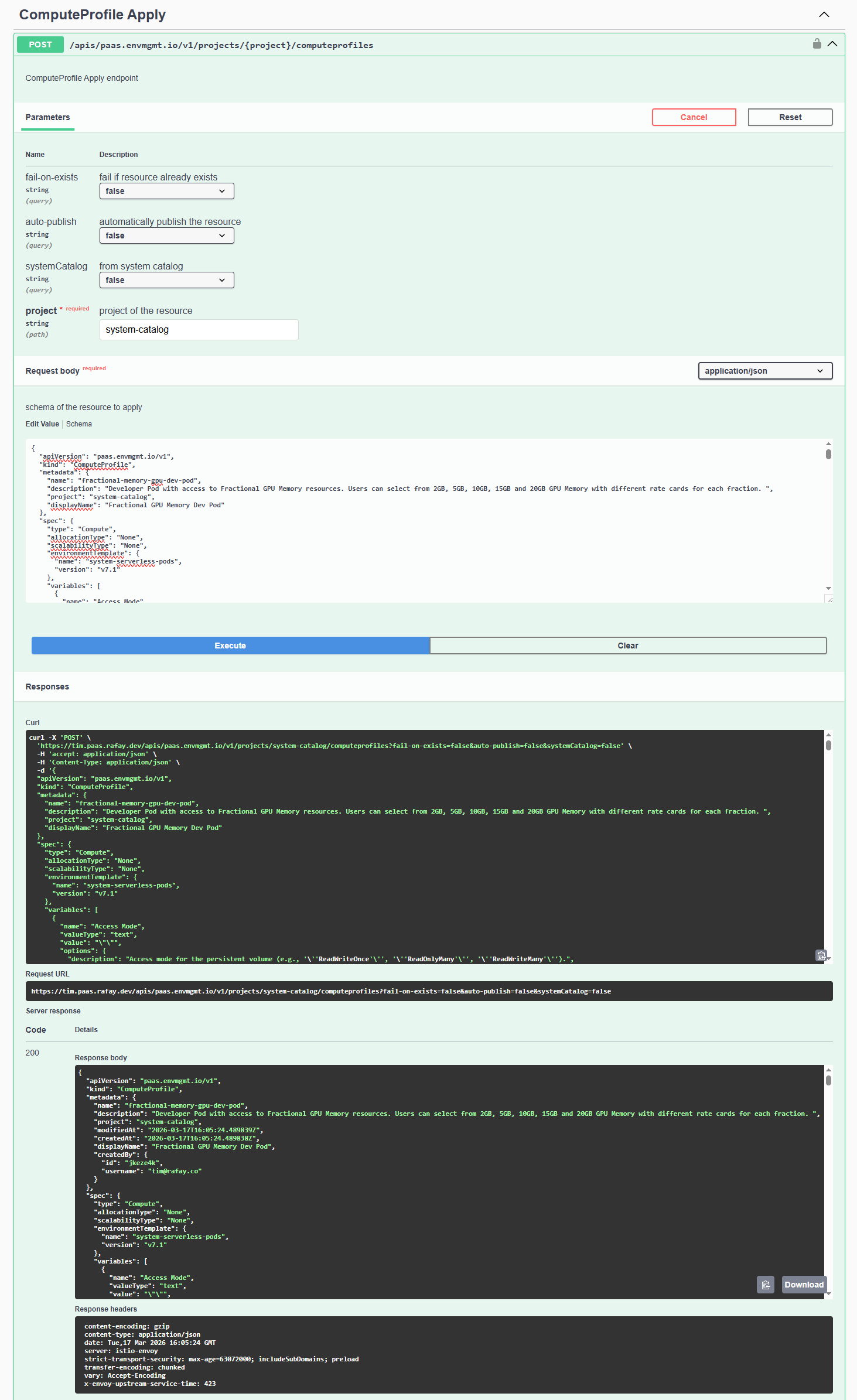
- In the Tenant console, navigate to Help -> API Reference -> V3 APIs
- Locate ComputeProfile Apply and expand the section
- Click Try it out
- Enter the project name system-catalog
- Download Profile JSON
- Copy and paste the downloaded profile JSON into the request body
- Click Execute
You should get a 200 response code.
2. Configure Compute Profile
In this section, you will configure the compute profile with the specific input variables for your environment.
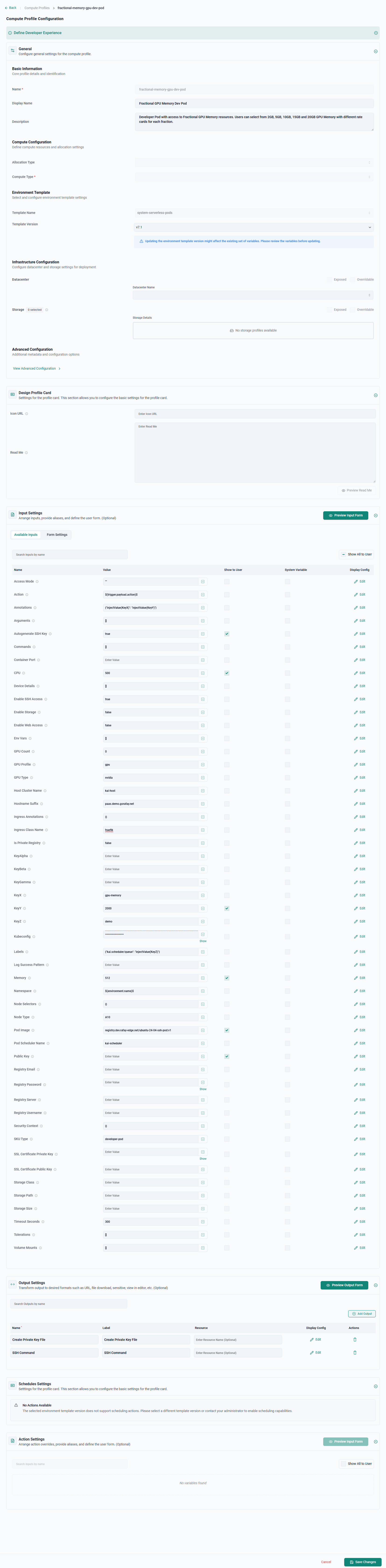
- In the Tenant console, navigate to SKU Studio -> Compute Profiles
- Select the system-catalog project
- Click Fractional GPU Memory Dev Pod
- Navigate to the "Input Settings" section of the profile
- Update the values in the following sections with the values specific to your environment
| Name | Value |
|---|---|
| Host Cluster Name | Name of the managed kubernetes cluster in inventory |
| Hostname Suffix | Hostname suffix for web access (e.g., 'example.com'). |
| Ingress Class Name | Name of the IngressClass resource to use (e.g., 'nginx'). |
| KeyZ | The name of the KAI Scheduler Queue to be used |
| Kubeconfig | The Kubeconfig of the host cluster |
| Node Type | The node_type value set in inventory for the nodes to be be used in the host cluster |
| Pod Image | The pod image to be used |
- Click Save Changes
3. End User Utilization
Finally, you will use a tenant end user account and utilize the a developer pod with a fractional GPU.
- In the Tenant console, navigate to SKU Studio -> Compute Instances
- Select the system-catalog project
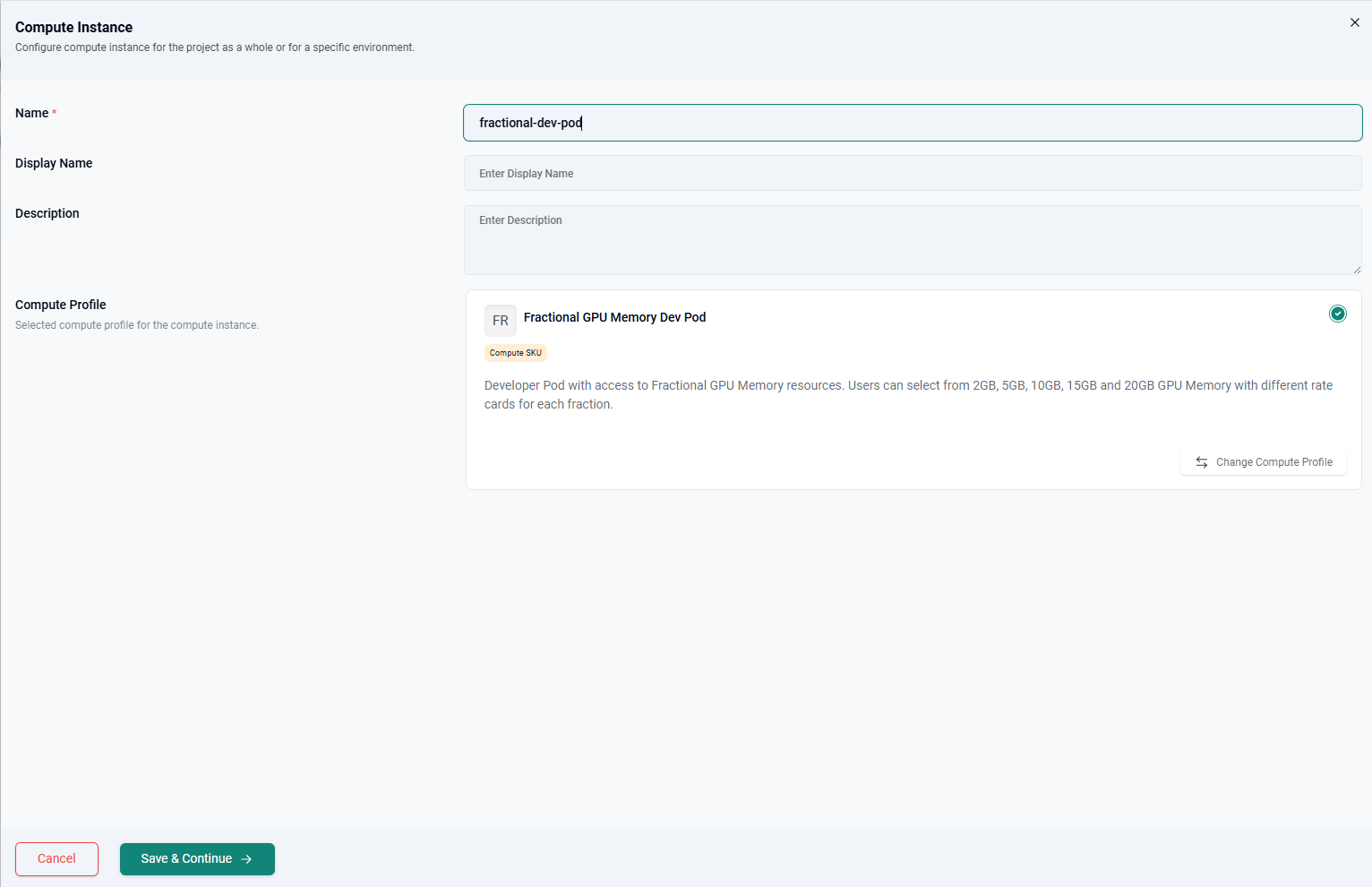
- Click New Compute Instance
- Click Select on Fractional GPU Memory Dev Pod card
- Enter a name for the instance
- Click Save & Continue
- Modify any user parameters as needed
- Click Deploy
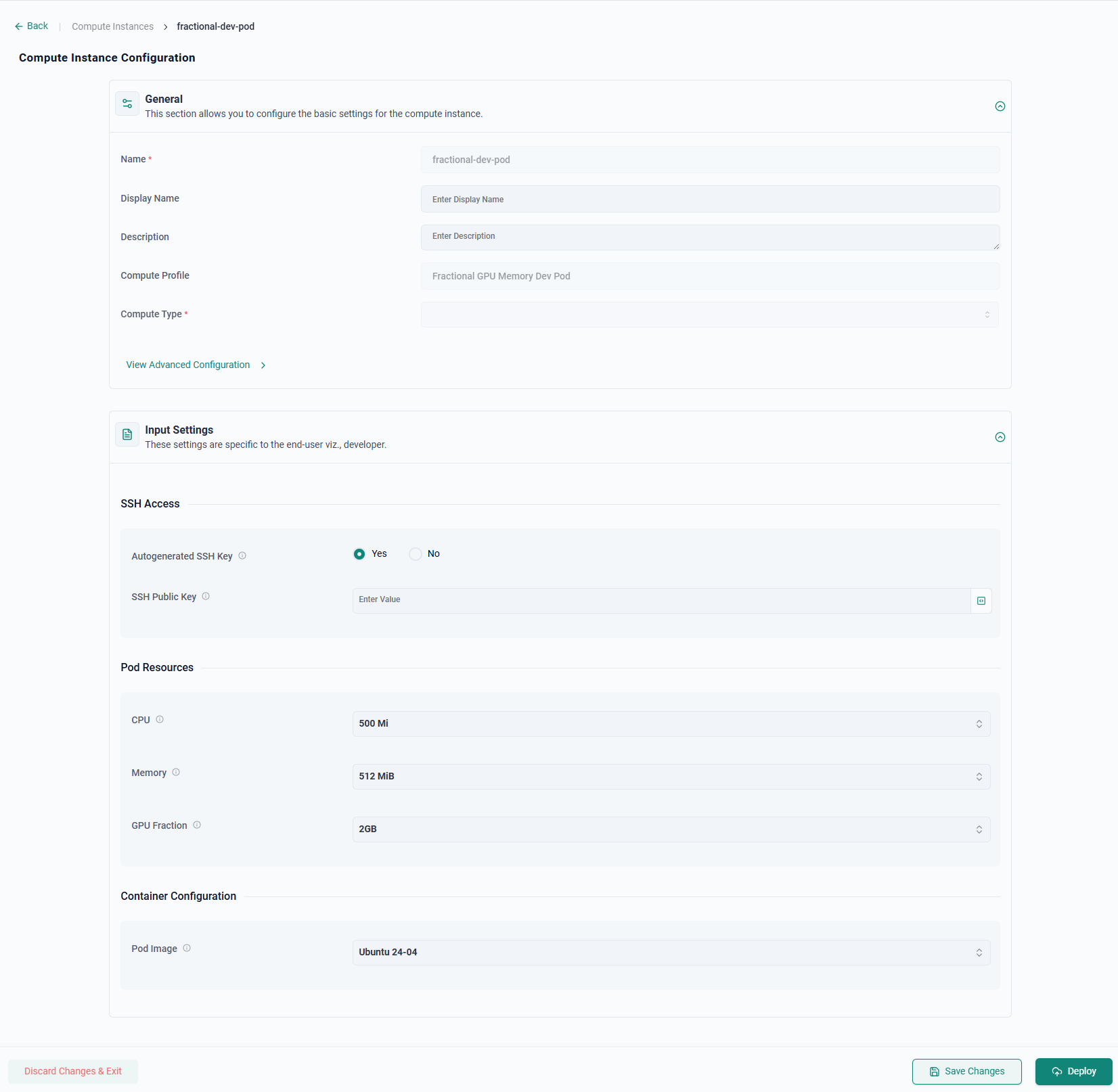
After 1-2 minutes, the developer pod will be deployed.
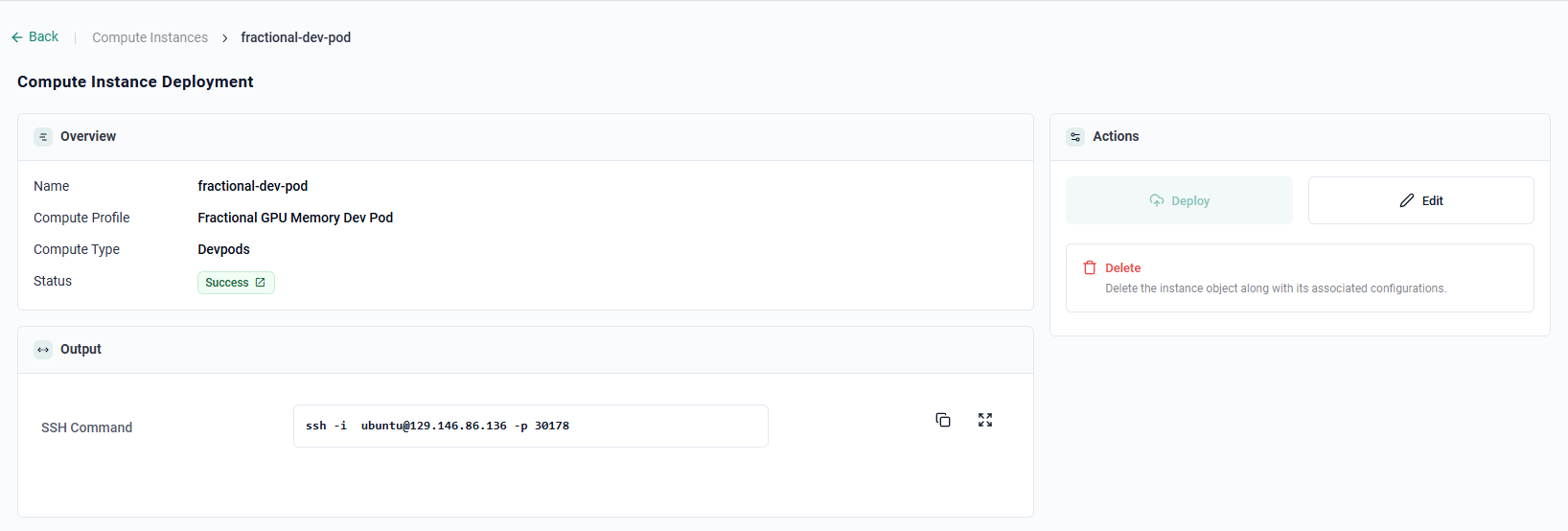
- Use the SSH information provided to log into the pod
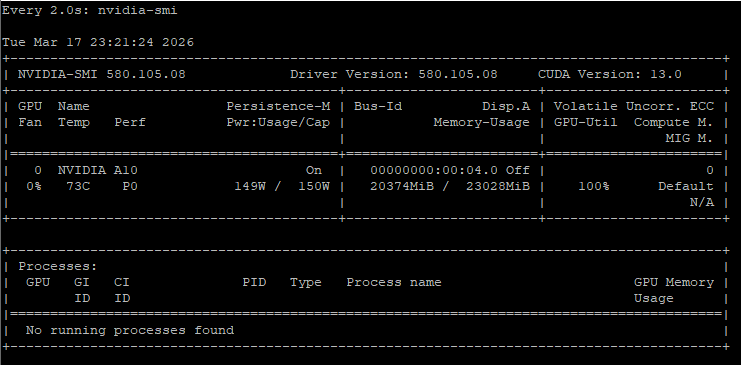
- Execute the below command to view the GPU
nvidia-smi
The command will show the the details and status of the entire GPU. Only the running processes for the individual pod will be displayed by this command. Users of different pods sharing the GPU will not be able to see running processes of other pods sharing the GPU.