FAQ
This page answers common questions about the Self Hosted Controller and associated tools.
1. What version of the self-hosted controller am I running?
To check the version of the self-hosted controller you are currently running, follow these steps:
- Log into the Console
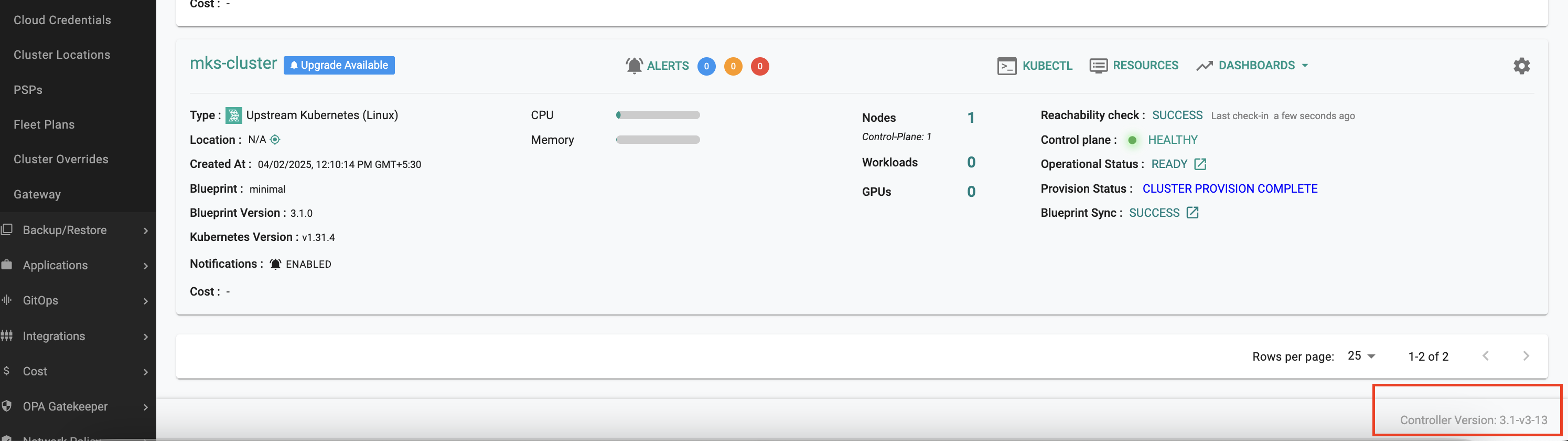
- On the right-hand side at the bottom, you will see the controller version displayed
- For example:
Controller Version: 3.1-v3-13
(as shown in the screenshot below)
2. How are security patches and CVE updates delivered to the Rafay Controller in an air-gapped environment?
Rafay performs comprehensive CVE scans for every controller release and includes the latest security patches. For air-gapped environments, updated controller packages or components are provided as needed. CVE response is prioritized, and vulnerability management is part of our continuous release process.
If you identify any security issues using your own scanning tools, please reach out to Rafay Support. We will take immediate action and provide a fix, if applicable.
3. In an air-gapped setup with 3-node HA, how are roles and DNS records handled?
- Node Roles: In a 3-node HA configuration, all three nodes act as masters. A worker node can also be added if required
- DNS Records: A single DNS record can point to multiple IPs (all three master nodes) using A records
- Best Practice: While it is technically possible to configure DNS for just one node, this is not recommended. Using all three master IPs ensures high availability and failover
4. How do I clean up a node before reinstalling the self-hosted controller?
To reinstall the controller on the same node, use the node cleanup script to clean up the node, reboot, and use the same hardware for a fresh installation.
The script performs the following actions:
- Stops and removes Kubernetes components (
kubelet,kubeadm,kubectl,containerd, CNI) - Removes Docker, the local registry, and the auth registry
- Removes etcd, Consul, and Calico data
- Removes Rafay-specific directories (
/opt/rafay,/var/log/rafay,/var/lib/rafay) - Removes Helm binaries and CRI-O cache
- Flushes iptables and IPVS rules
- Disables SELinux (if configured) and unmounts orphaned kubelet mounts
To run the cleanup script:
- Copy the downloaded script to the node
- Run the script:
bash node-cleanup.sh
The script logs the status of each step and prints a summary of successful and failed cleanups at the end.
Important
A reboot is required after running the script for the changes to take effect. Reboot the node manually once the script completes, then proceed with the fresh installation on the same hardware.
Warning
The script runs destructive operations (rm -rf, package removals, iptables flush) with sudo. Run it only on a node being reinstalled, not on a live production node.